

There is no light theme: all themes are dark.
Set a wallpaper
1
Open the background settings
Settings -> Appearance -> Background image.
2
Add a picture
Click File and choose a picture. Other ways: URL (paste a link and click Download) or Online (search for wallpapers).
3
Tune the look
Background darkening, Edge darkening and Background blur appear under the pictures. None removes the background.
A picture from a link does not load
A picture from a link does not load
The link does not work with every site. Download the picture to your computer, click File and choose it.A big GIF (tens of megabytes) may fail too: use an animated WebP or a smaller file.
Your own picture in CSS
Your own picture in CSS
- Open Custom CSS -> Your images and click Add image. PNG, JPG, WebP, GIF, SVG and AVIF up to 10 MB work.
- Click the copy icon next to the file (tooltip Copy CSS).
url("sc-assets/name")goes to the clipboard. - Paste it into your CSS:
C:\ do not load in CSS.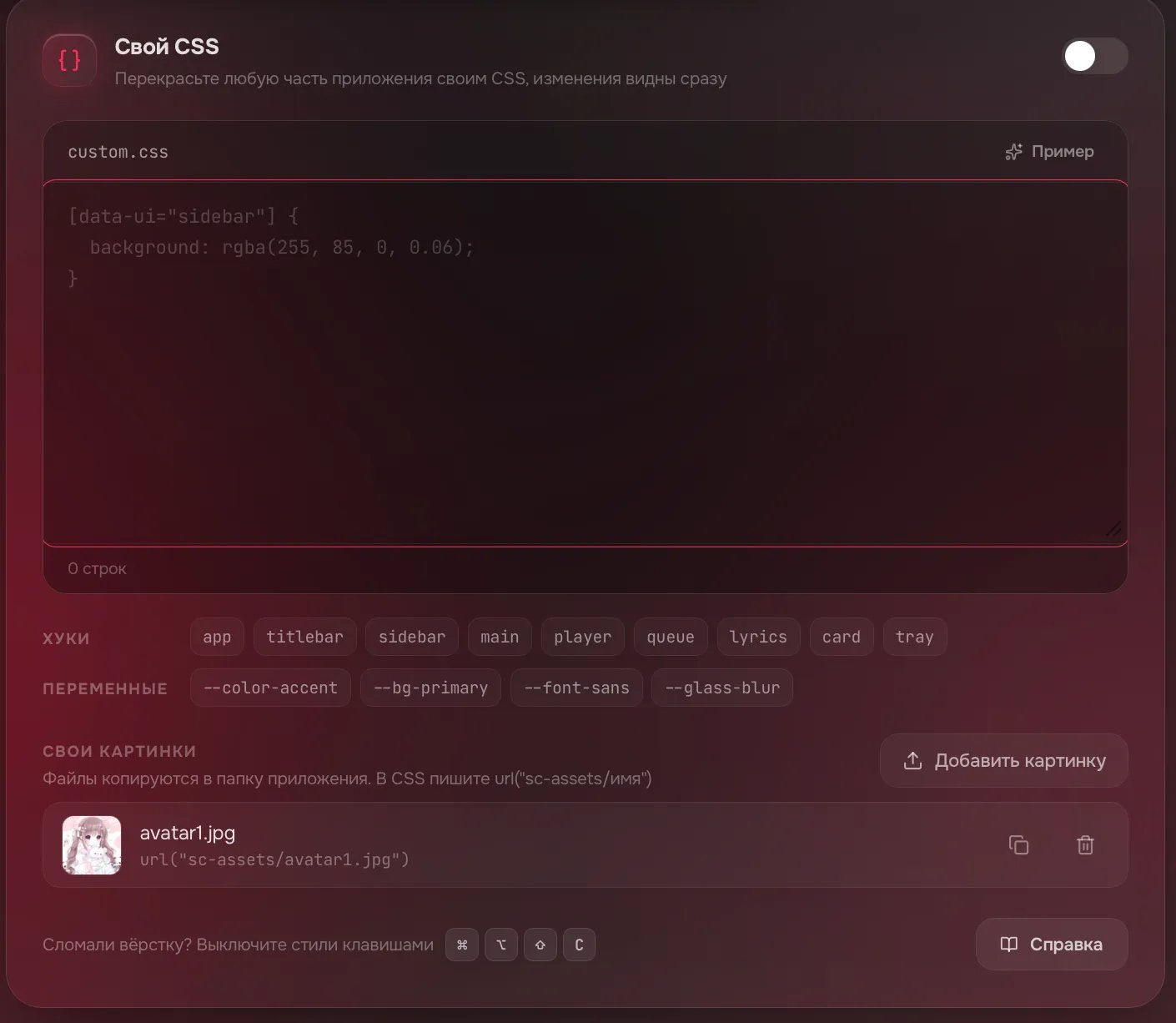
Reset the appearance
Reset the appearance
Click Reset to defaults at the top right of the first card (Appearance). The theme, wallpaper, font and cover colors are reset. Scale, layout and custom CSS stay.
The key did not help and the interface is still broken
The key did not help and the interface is still broken
Quit the app completely (how to quit) and start it without your CSS:Custom CSS stays off. Fix it or click Clear, then turn the Custom CSS switch back on. On Windows remove the flag from the shortcut.
- Windows
- macOS
- Linux
Right-click the shortcut -> Properties. At the end of the Target field type a space and
--no-custom-css. Click OK and start the shortcut.